Registration, challenges, scoring and anti-cheat on one platform
CTF7 handles what an organizer needs before, during and after an event: the event page, registration and fees, challenges and Docker targets, scoring, dynamic flags, anti-cheat, the live scoreboard and the reports you share afterwards. This page lists each feature and the plan that includes it, starting with the ones that set CTF7 apart: anti-cheat forensics, per-team flags on isolated labs, paid events with GST invoices and a hiring pipeline.
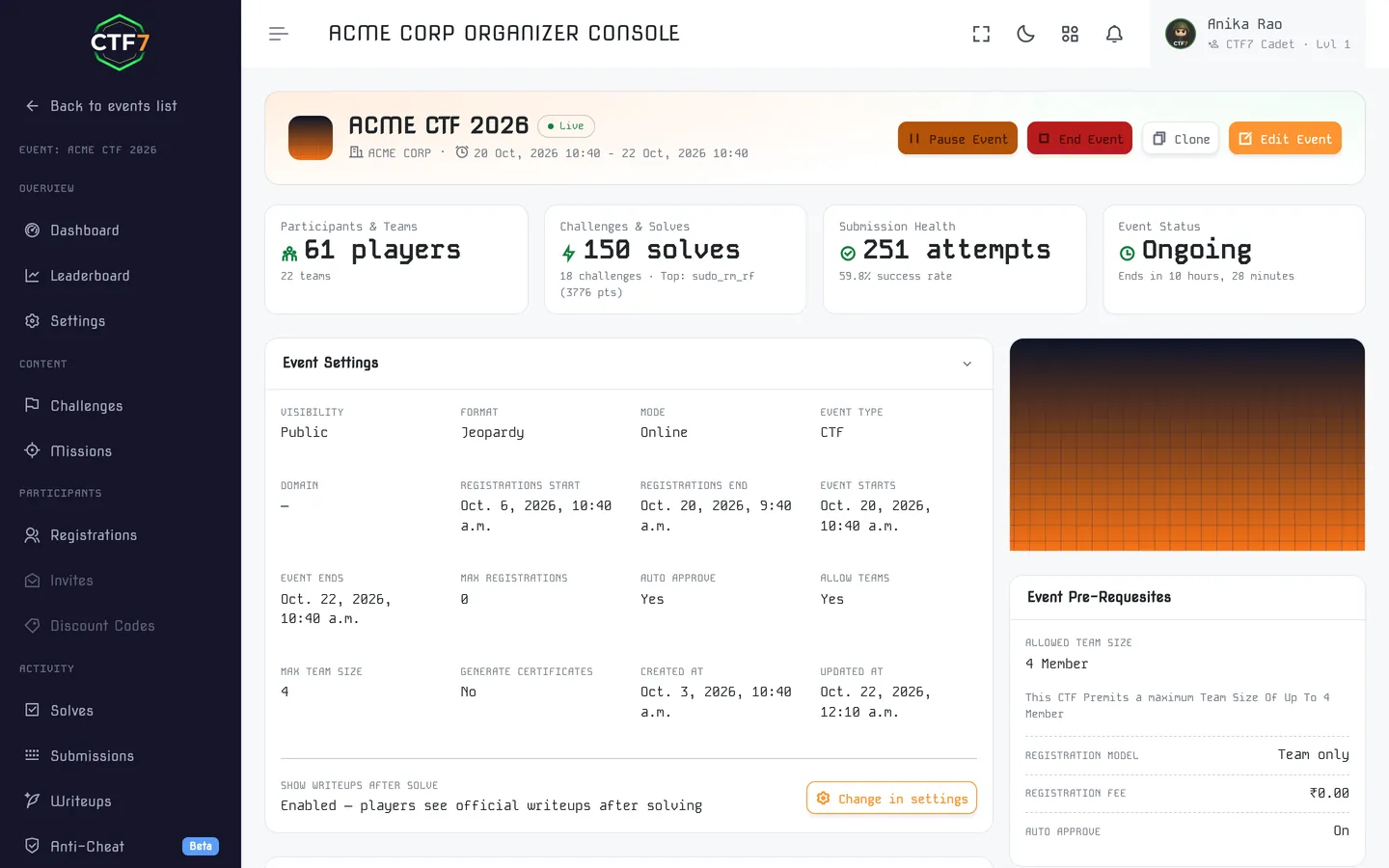
Event page, registration and fees
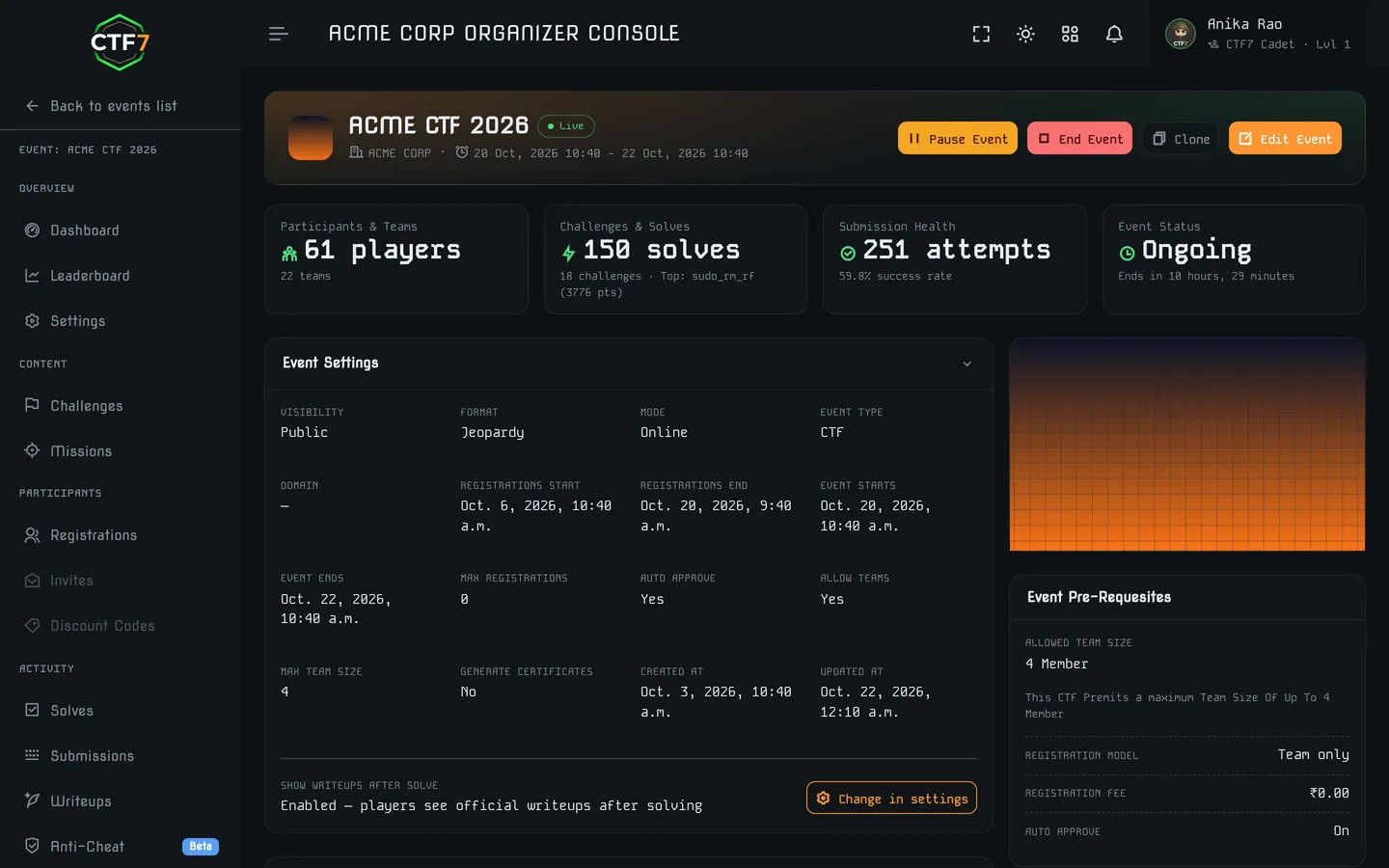
Your event's public page is where players decide whether to sign up. CTF7 gives you the page and the registration flow on day one, with no separate form tool or payment spreadsheet.
- Custom branding and layout: set the event name, logo and theme colors, and add custom pages for rules, prizes, sponsors and schedule.
- Open, invite-only or paid entry: run a public college CTF, a private internal round for your security team, or a ticketed event.
- Fee collection in INR: collect registration fees online and see who has paid from the same organizer dashboard you use to manage teams. Payments, GST invoices and refunds are covered below.
- RSVPs and passes: for workshops, meetups and conferences, issue digital passes and track attendance and check-in. See event hosting.
- Public event listing: publish to the CTF7 events page so players across India can find your competition.
Paid registration, GST invoices and refunds
Charge entry fees in rupees and keep the paperwork inside the platform. Players pay through Razorpay, and the organizer dashboard shows who has paid, who is waitlisted and who has been refunded.
Razorpay checkout
Entry fees are collected in INR through Razorpay. Payments are confirmed by webhook and reconciled, so a closed browser tab does not lose a registration.
GST invoices
Each paid registration gets a PDF tax invoice with your own invoice prefix. GST is 18% by default, with the fee and CTF7's platform fee on separate lines. Store your PAN and GSTIN once in the billing profile.
Discount codes
Percent or flat codes with usage caps and expiry dates, plus analytics on which codes were used. Good for early-bird pricing and partner colleges.
Caps and waitlist
Set a registration cap. Teams over the cap join a waitlist and are promoted by email, in order, when a place opens.
Refund window
Each event has its own refund window. Inside it, a registration can be refunded; outside it, it cannot. Read the refund policy.
Registration controls
Invite codes, manual approval, custom registration questions and a CSV export of every registration, for the checks a college event needs.
Payouts to organizers are settled in batches by our team. Prices for CTF7's own plans are on the pricing page.
Teams, mentors, judges and admins
An event has more people than players. Mentors guide teams, judges evaluate hackathon projects and organizers run the event. Each role gets only the access it needs.
Solo or team entry
Pick individual or team play and set team-size limits, so every team plays by the same rules.
Invite-only entry
Run invite-only or paid events for college-only rounds and eligibility checks.
Mentors & judges
Add mentors and judges with limited permissions, scoped to their job rather than full admin access.
Organizer admins
Admins upload challenges, pause rounds, post announcements and review submissions live from the admin panel.
Challenge management for jeopardy boards and live targets
Upload challenges from the admin panel, attach files, link external targets, and bring your own Docker challenge images when a challenge needs a live service.
- Categories: web, crypto, pwn, reverse engineering, forensics, OSINT, misc, or any custom category. New to categories? Read the CTF categories guide.
- Attachments & external links: ship pcaps, binaries and disk images, or point players to an externally hosted target.
- Hints: free or point-costing hints keep beginners moving without giving away the solution.
- Docker challenge images: bring-your-own Docker challenge images on Standard; managed container deployment on Premium, where the CTF7 team runs the container side for you. Planning a large container-heavy event? Describe your challenges in the event brief and we will confirm the deployment plan.
- Round control: upload challenges from the admin panel, pause a round when something breaks, and track submissions live while you fix it.
Short on challenges? The CTF7 team offers custom CTF challenge development, with every challenge built, playtested and documented.
Per-team flags on isolated, on-demand labs
A container challenge that every team attacks at once breaks for everyone when one team breaks it. On CTF7 each team starts its own instance, with its own flag.
- On demand: a team launches its lab from the challenge page and sees live status as it starts, instead of refreshing and guessing.
- Isolated per team: one team's exploit, crash or reset never touches another team's instance.
- Time-limited: labs run on a TTL and are cleaned up when it ends, so event-day capacity does not leak.
- Kubernetes or Docker Swarm: a separate deployer service starts the containers on clusters our team operates.
- Per-team flags: the flag is derived for each team with an HMAC, so a flag lifted from another team's lab fails and points back to the team it was issued to.
- Your images: bring your own Docker images, with private registry credentials where the image is not public. Per-plan limits apply to concurrent labs.
Scoring, tie-breaks and dynamic flags
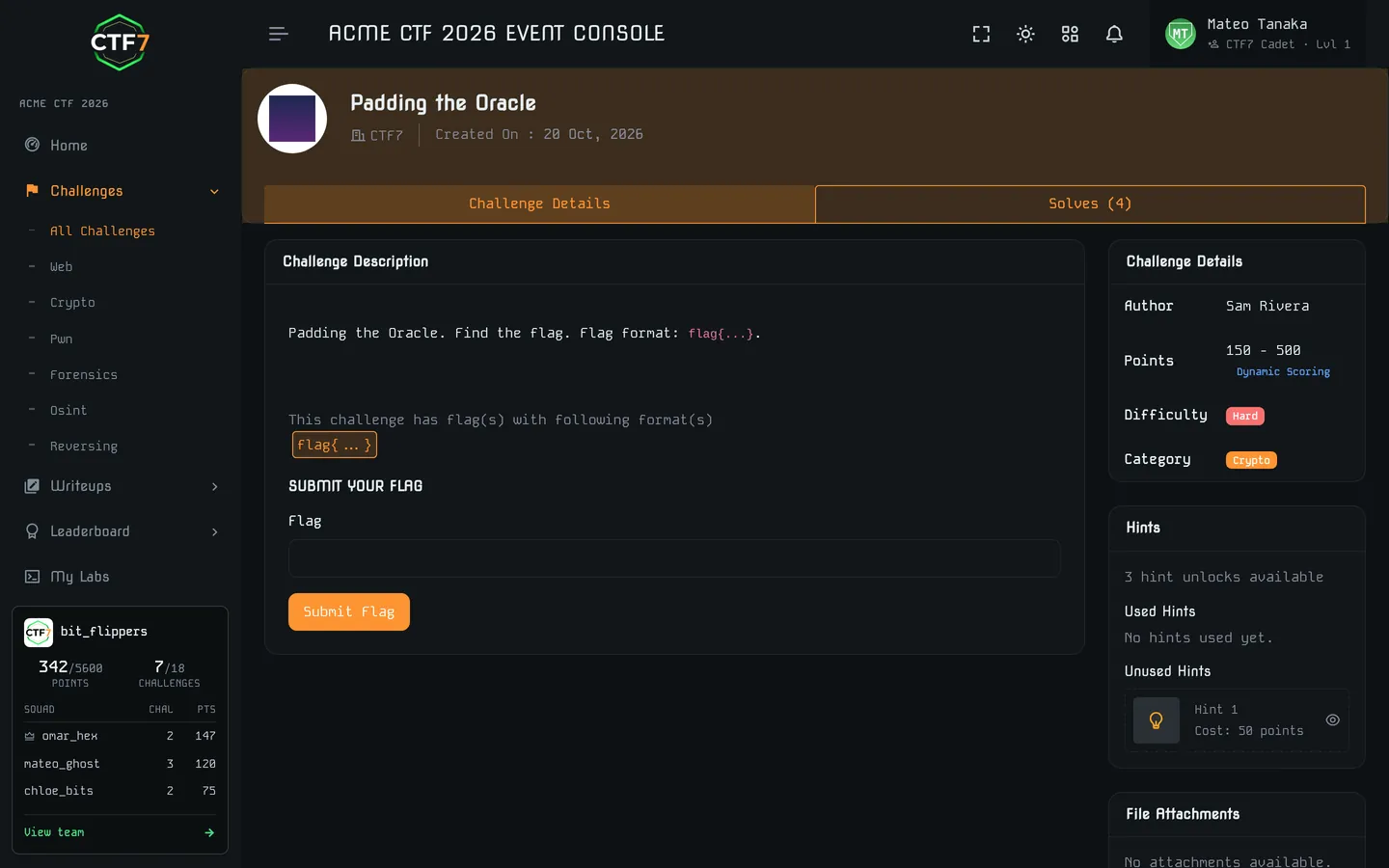
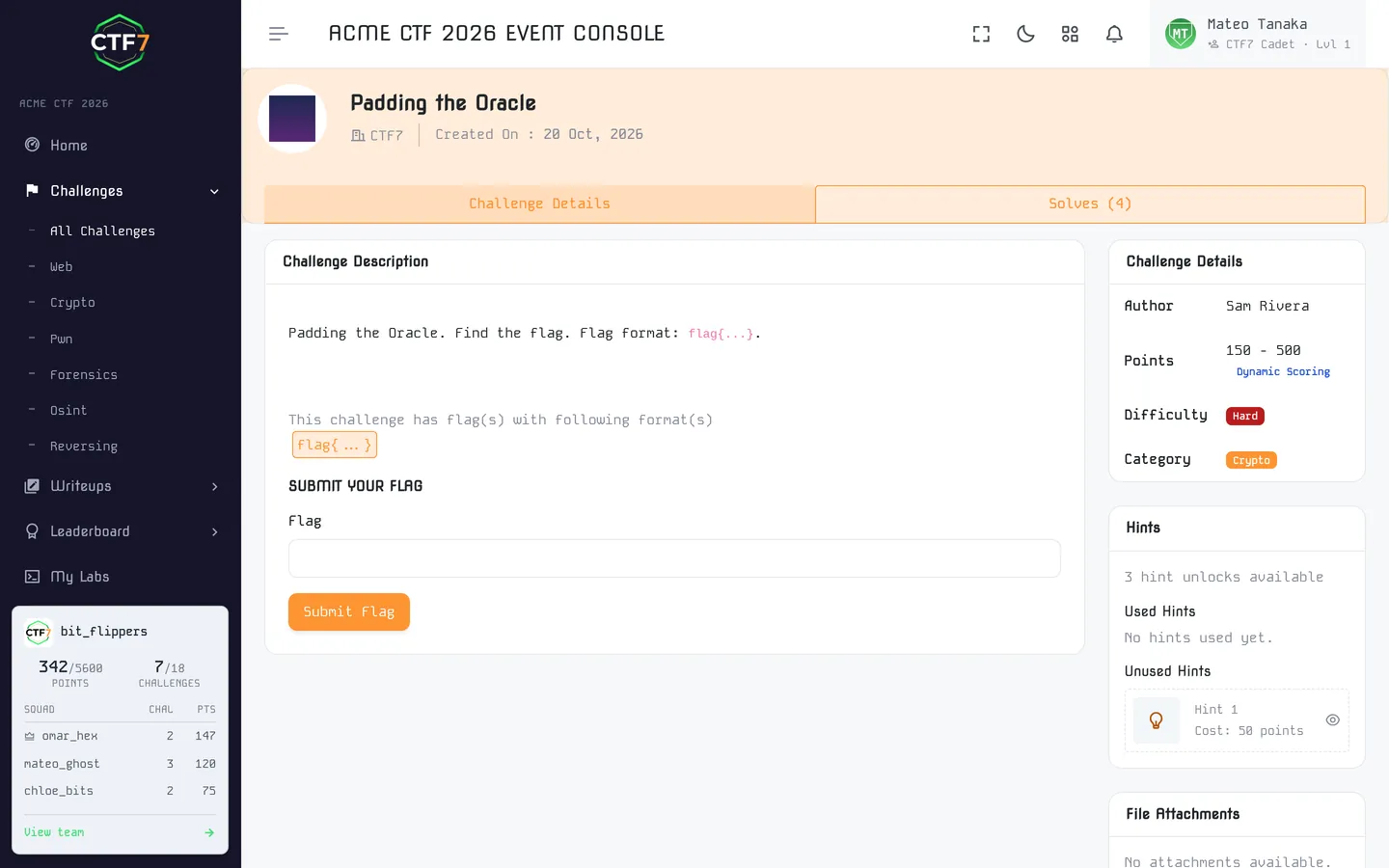
Pick the scoring model that suits your audience. Dynamic flags make a leaked answer useless to anyone else.
Static scoring
Every challenge keeps a fixed value, such as 100, 250 or 500. It is predictable and beginner-friendly, and a good fit for classroom rounds and first CTFs, where you set difficulty by hand.
Dynamic scoring
Points decay as more teams solve, so the market sets difficulty. For example, a challenge can start at 500 and fall toward a 100-point floor as solves pile up. Hard challenges keep their value, and easy ones stop dominating the board.
Time taken & tie-breaks
The real-time scoreboard records points, solves and time taken for every team. That is the data most organizers use to break ties between equal scores, so speed can matter without distorting challenge values. Our CTF scoring guide covers tie-break rules in depth.
Decay you control
Choose linear or quadratic decay and set the floor a challenge never drops below. Decay is applied retroactively, so earlier solvers' scores follow the same curve as later ones.
First-blood bonus
Switch on a bonus for the first, second and third team to solve a challenge. The defaults are 30, 20 and 10 percent of the challenge value, and you can change them.
Earned-hint economy
Hints can be off, open at a fixed cost, or earned: a team unlocks a hint credit for every set number of solves or points. You can also grant extra credits by hand.
Dynamic flags: a different flag for every team
With static flags, one leaked answer in a group chat can hand the challenge to every team. Dynamic flags are unique per team (per player in solo events). If Team A's flag is submitted from Team B's account, CTF7 knows it was shared and raises an alert.
Dynamic flags are available on Standard and Premium. The dynamic flags and anti-cheat deep dive covers how to design challenges around them.
Anti-cheat that shows who shared what, and when
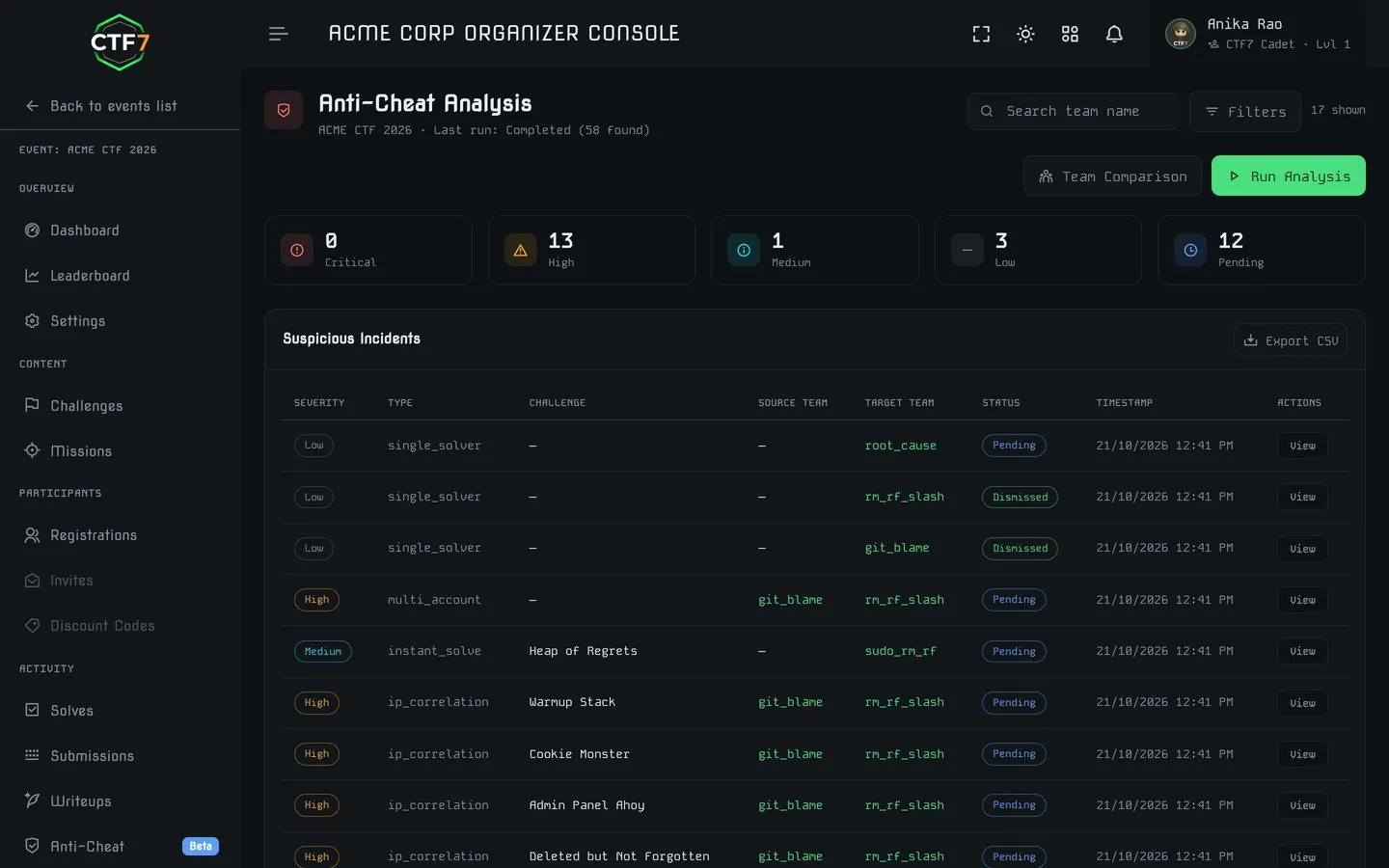
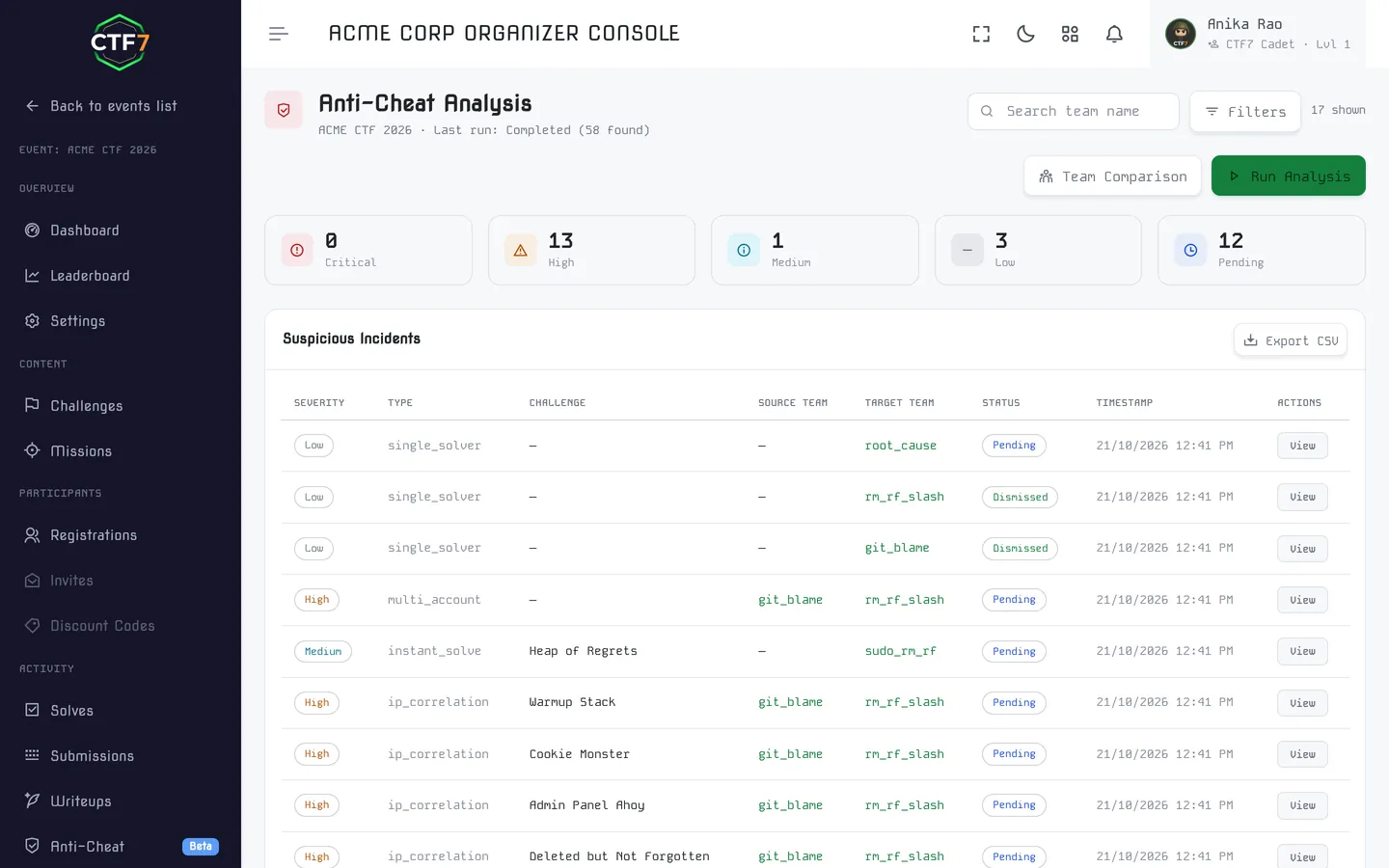
Players have to trust the leaderboard, most of all when prizes, internships or job offers depend on the result. CTF7 runs 25 detectors across 7 modules and turns what they find into incidents you can review.
- Incident workflow: each finding is an incident with a severity (critical, high, medium or low) and a status of pending review, confirmed or dismissed, so a disqualification comes with a decision trail.
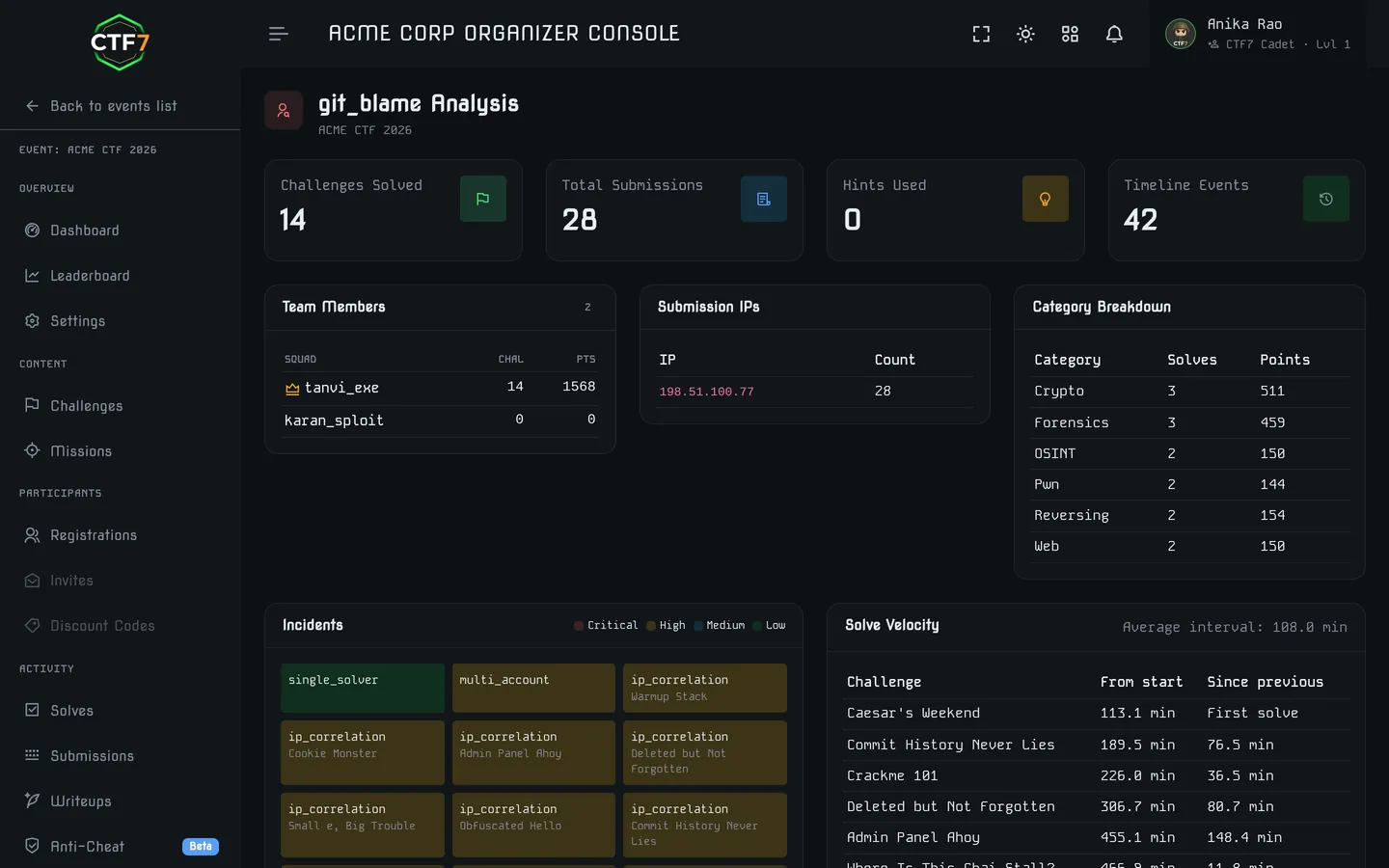
- Team comparison: put two teams side by side to see shared IPs, solve order and timing.
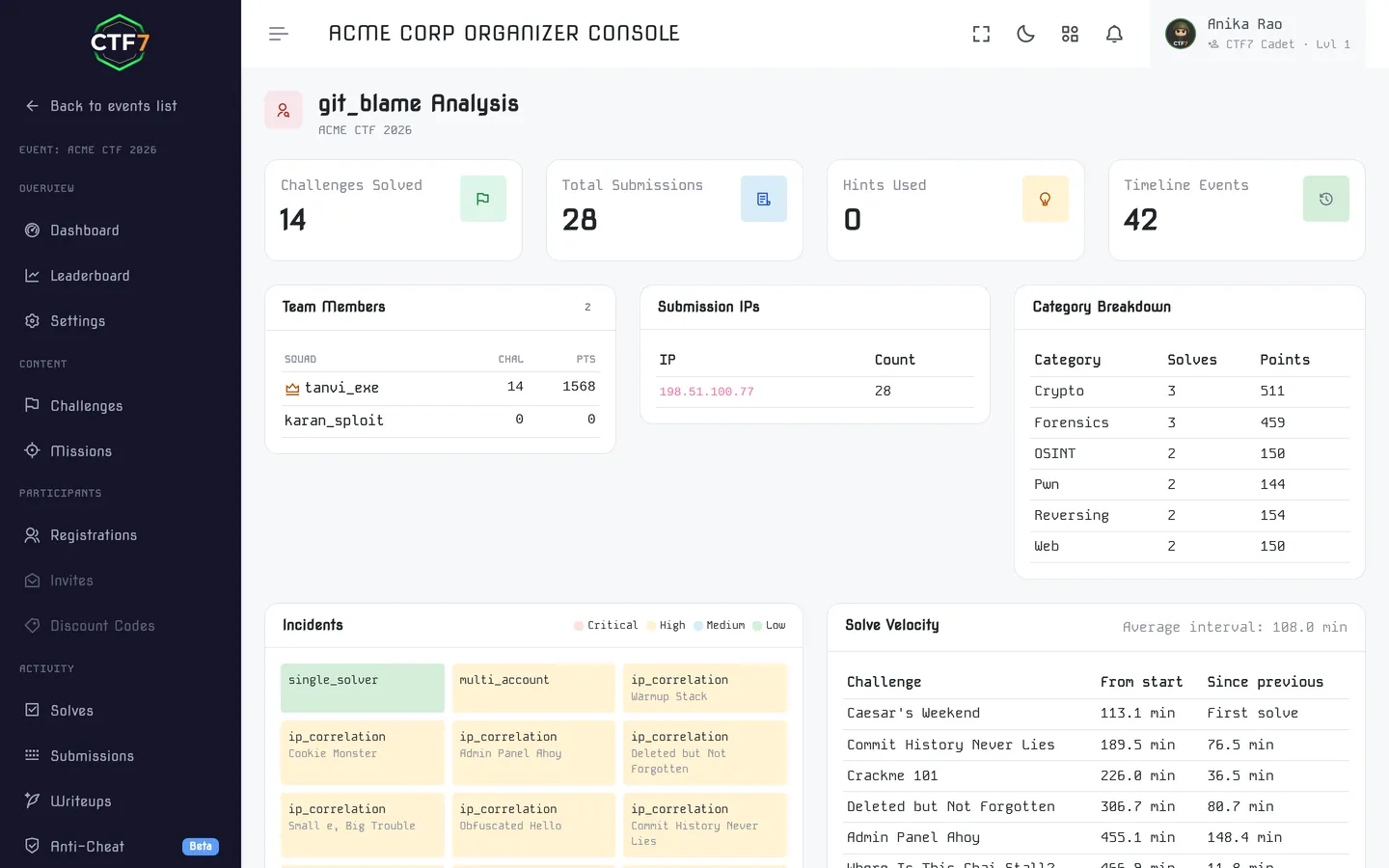
- Challenge forensics: open a single challenge to see who solved it, how fast and from where.
- Run it when you want: start an analysis at any point in the event. Each run is recorded, and results can be exported.
- Opt-in per event: turn it on for the events where the stakes justify it.
Anti-cheat is included on Standard and Premium. Premium adds advanced analytics and logs for hiring programs and high-stakes finals. The dynamic flags and anti-cheat deep dive explains the thinking behind it.
The 7 modules and what they look for
Flag sharing (4)
Dynamic flag reused across teams, correct flags for one challenge from the same IP, timing clusters, identical wrong-submission sequences.
Timeline (5)
Solve before deploy, speed outliers, solve-order correlation, instant solves, solved without viewing the challenge.
IP forensics (4)
One IP used by users on different teams, impossible travel, a submission IP never seen at login, a device that differs from login history.
Lab forensics (4)
Solve without deploying the lab, deploy-to-solve faster than possible, solve after the lab expired, solve without downloading the files.
Team integrity (3)
Roster changes in the middle of the event, members with no activity at all, one member doing most of the solves.
Submission profiling (4)
Bursts of submissions, identical wrong-flag sequences across teams, a flag for a different challenge, submissions through the API.
Hint farming (1)
A team that unlocks many hints but barely solves, while a team on the same IP solves those challenges.
Bug-hunting events with real triage tools
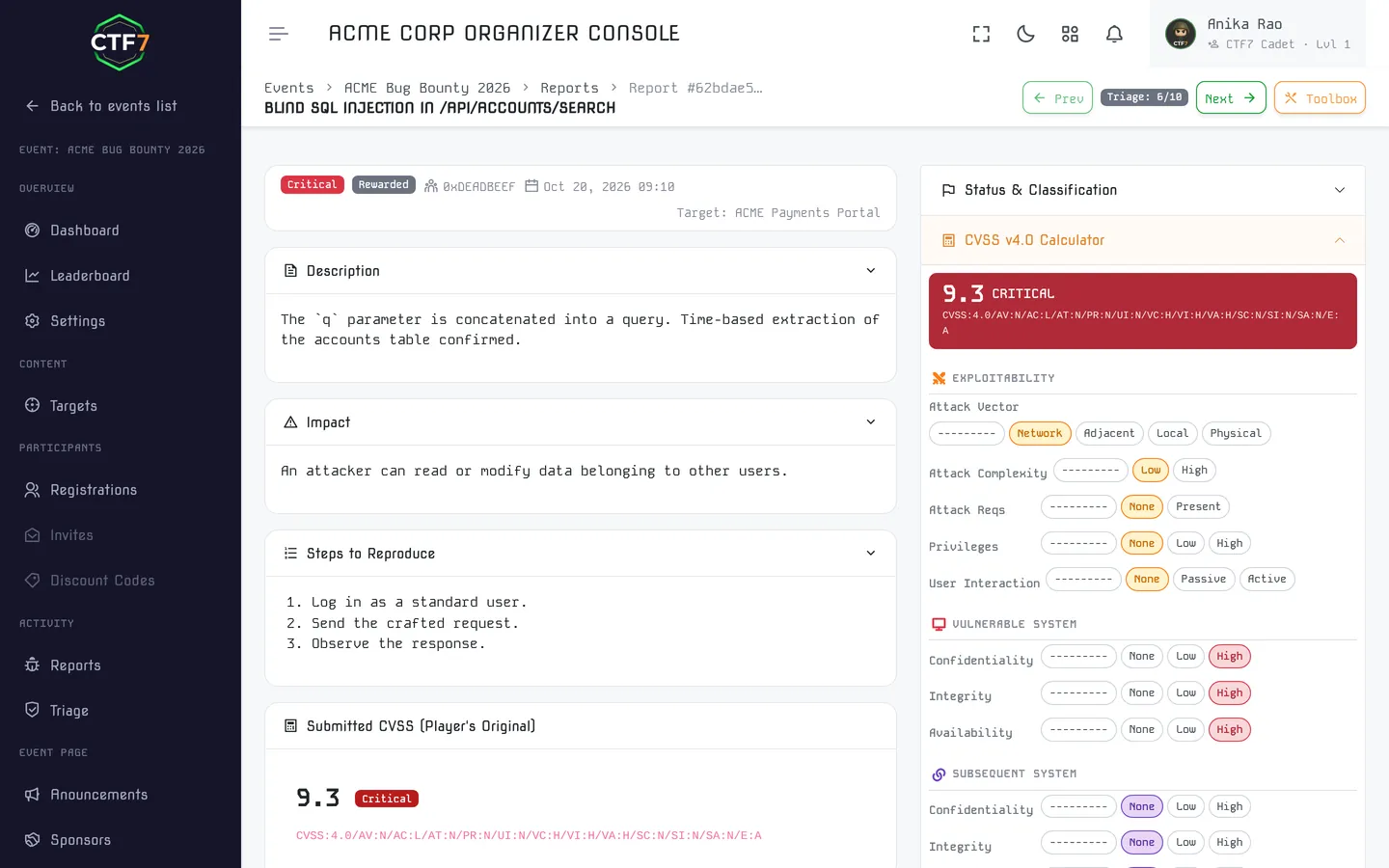
In Raw Ops players file vulnerability reports instead of flags. Your triagers need a queue, a scoring standard and a way to spot duplicates, and the platform provides all three. Raw Ops is self-serve on Standard and Premium events and on the Pro and Enterprise organization plans.
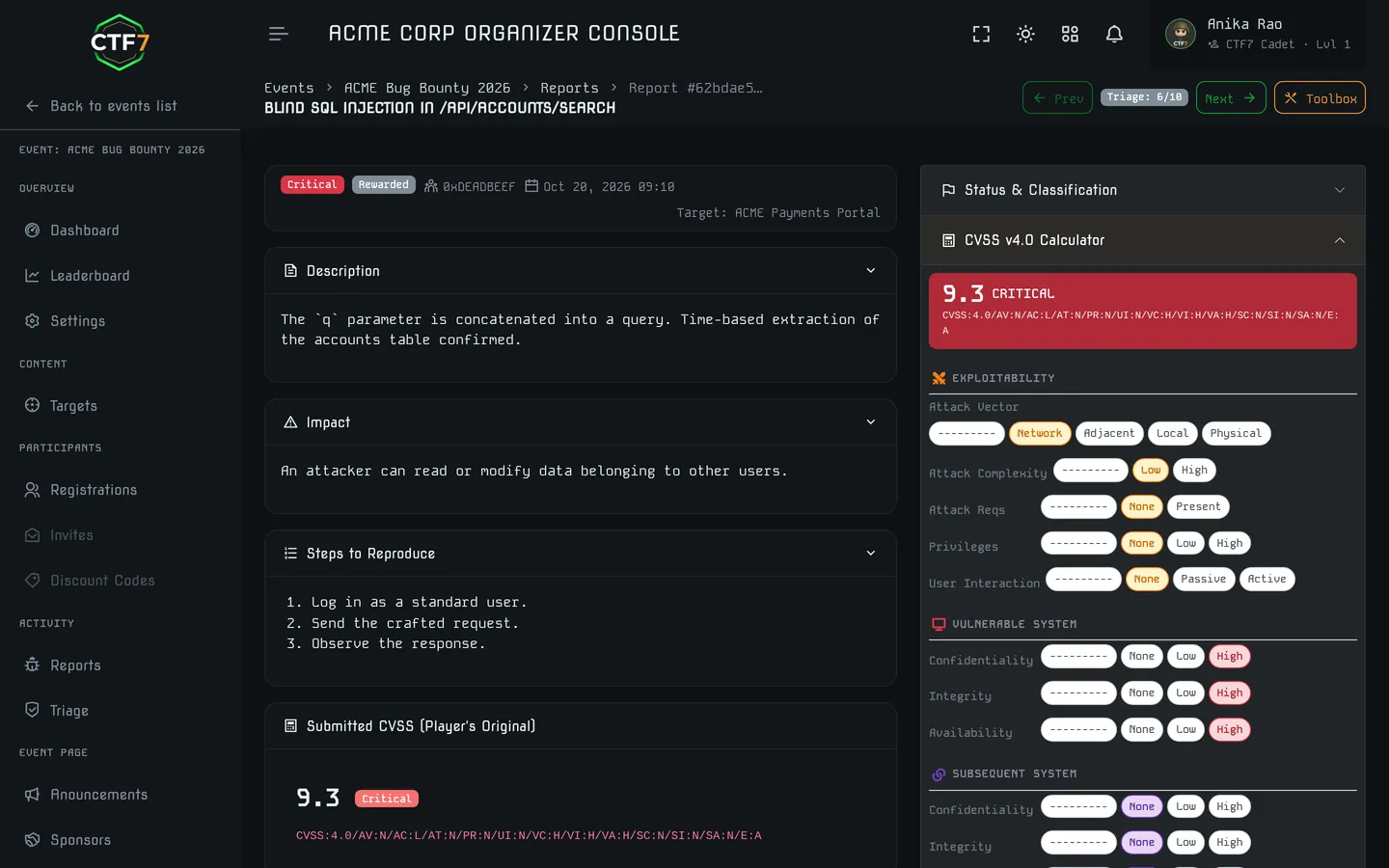
- CVSS 4.0 scoring: a built-in calculator scores each accepted report. Practice the same scoring in our CVSS 4.0 calculator.
- Duplicate detection: keep known-vulnerability lists per target so a repeat of a known bug is marked as a duplicate.
- Status workflow: submitted, under review, needs more info, valid, invalid, duplicate, won't fix, rewarded or rejected, with severities from critical to info.
- Zero-day flag and bonus points: mark a finding as a zero-day and award bonus points on top of the CVSS score.
- Edit history: players can improve a report after triage feedback, and every revision is kept.
- Shadow leaderboard: scores stay pending while triage runs, with a freeze time and a top-N cut-off, so rankings do not shift in public before reports are reviewed.
- Targets: import a target library in bulk, give each event its own vulnerability ID prefix and host targets on labs.
Organizer dashboard, real-time scoreboard and live monitoring
On event day you need one screen that shows solves, reports, alerts and leaderboard movement as they happen.
Real-time scoreboard
Rankings, points, solves and time taken update live, ready for the projector at an on-site finale.
Announcements
Push hint releases, fixes and schedule changes to every participant at once.
Pause & control
Pause a round from the admin panel, upload a fixed challenge, and track submissions as they arrive.
Raw Ops triage
Review, dedupe, request more info on, or accept vulnerability reports. Accepted reports are scored with CVSS 4.0.
Raw Ops triage explained. In a Raw Ops event there are no flags. Players hunt vulnerabilities in a realistic target and submit reports. Your triage queue works like a small bug bounty program: duplicates are merged, weak reports get a "needs more info" request, and accepted findings are scored on their CVSS 4.0 severity. Chaining multiple weaknesses is encouraged.
Post-event analytics, reports and certificates
Sponsors want numbers, faculty want reports and players want certificates. CTF7 produces all three from the event data.
See the post-event checklist in our hosting guideSolve trends
Solves per challenge and category over time, so you can see which challenges were too easy, too hard or broken.
Leaderboard insights
Final standings with points, solves and time taken, ready for prize distribution and your results post.
Report quality
For Raw Ops, see accepted versus rejected reports and the severity distribution. It is a direct measure of how well participants document their findings.
Certificates
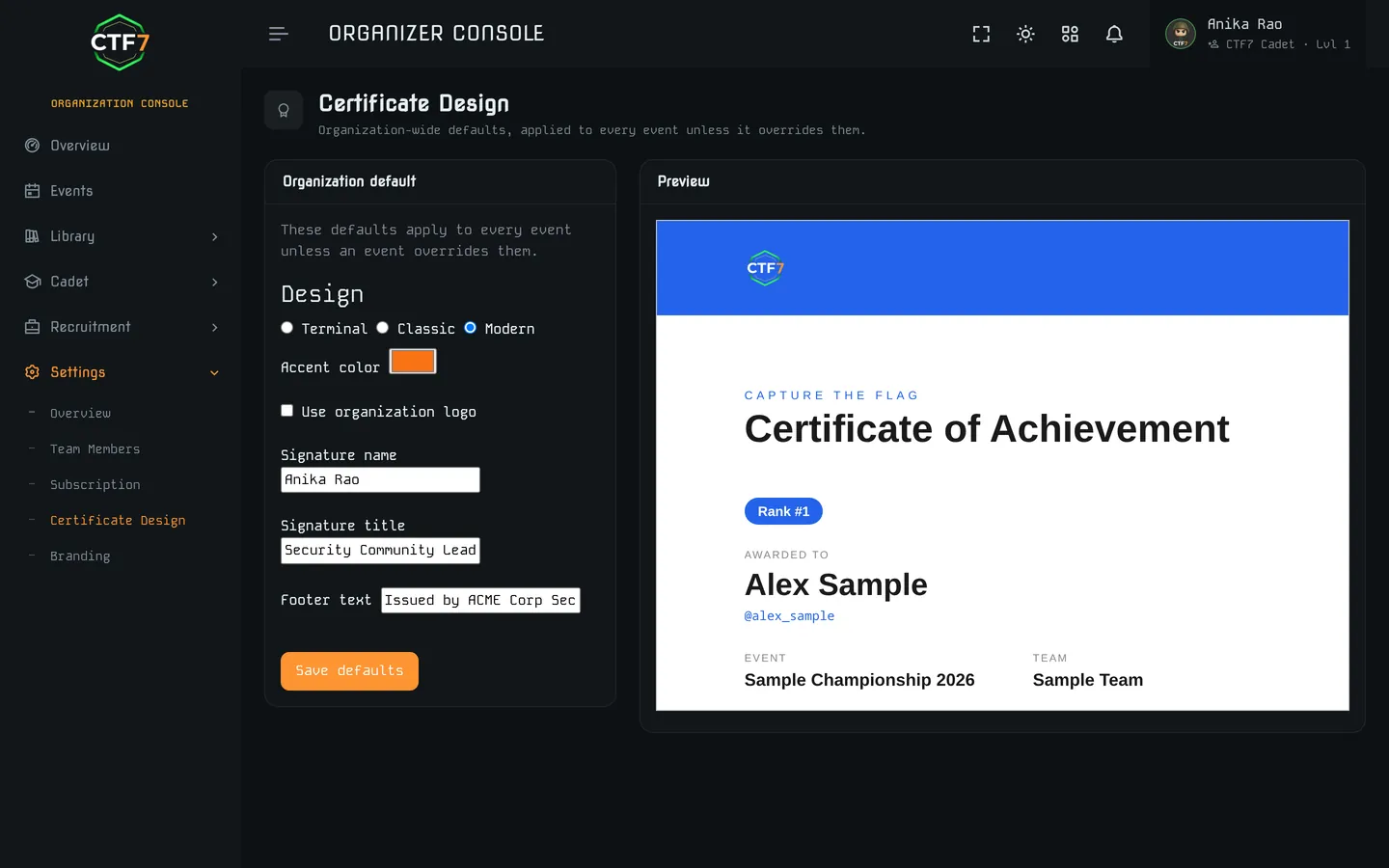
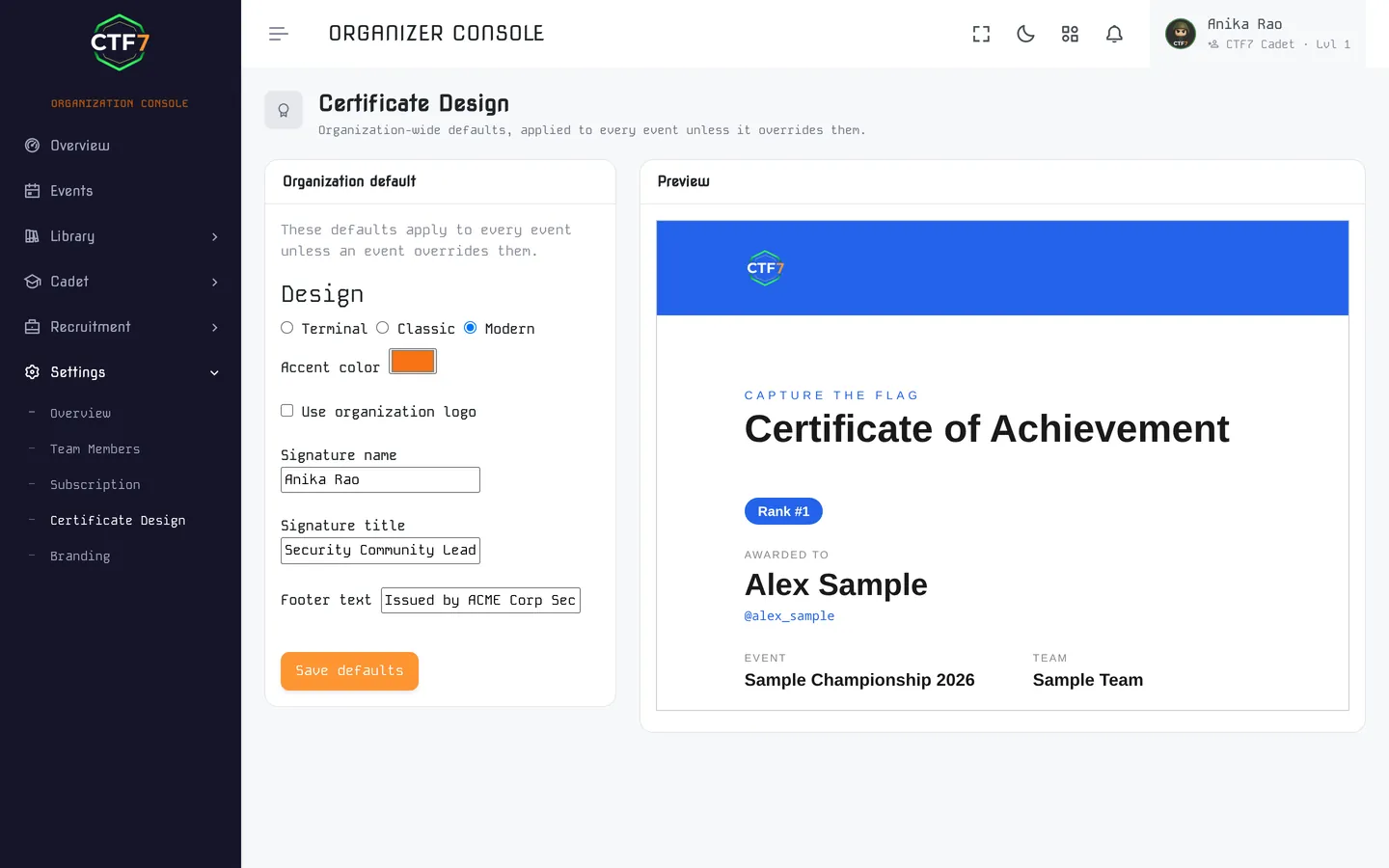
On paid plans, issue participation and winner certificates from the certificate designer: three designs (terminal, classic and modern), your accent color, logo and signature. Each is a PDF sent by email, and anyone can check one on the public verification page. Premium events get branded certificates.
Your event, your brand
Players should see your fest or your company, not ours. Branding runs from a color on the scoreboard to a full landing page.
White-label branding
Set your brand name and colors, and add custom CSS on plans that include white-label.
Custom landing pages
Build the event's front door with a hero, a video, call-to-action buttons and content sections for rules, prizes, sponsors and schedule.
Your own domain
Custom domains are set up by our team, with SSL managed for you. See domain and support.
Tools for colleges that train all year
A department does not run one event and stop. Student management and curriculum tools keep a cohort's work in one place.
CTF7 for universitiesStudent management
Enroll students, run events open to your students only and keep the roster in one place.
Groups and assignments
Split a cohort into groups, assign challenges and set the work for the week.
Completion analytics
See who has finished what, so a faculty member can follow progress without chasing screenshots.
Exports for your records
Download registrations, solves, flag submissions and the final leaderboard as CSV or JSON, for internal reports and accreditation files.
Curriculum management is part of the Pro and Enterprise organization plans.
From scoreboard to shortlist, with consent
Many events end with a hiring question. CTF7 carries on from the results into a job board and a hiring pipeline, so the shortlist does not move to a spreadsheet.
- Job openings and screening: post roles with screening questions, including knockout questions.
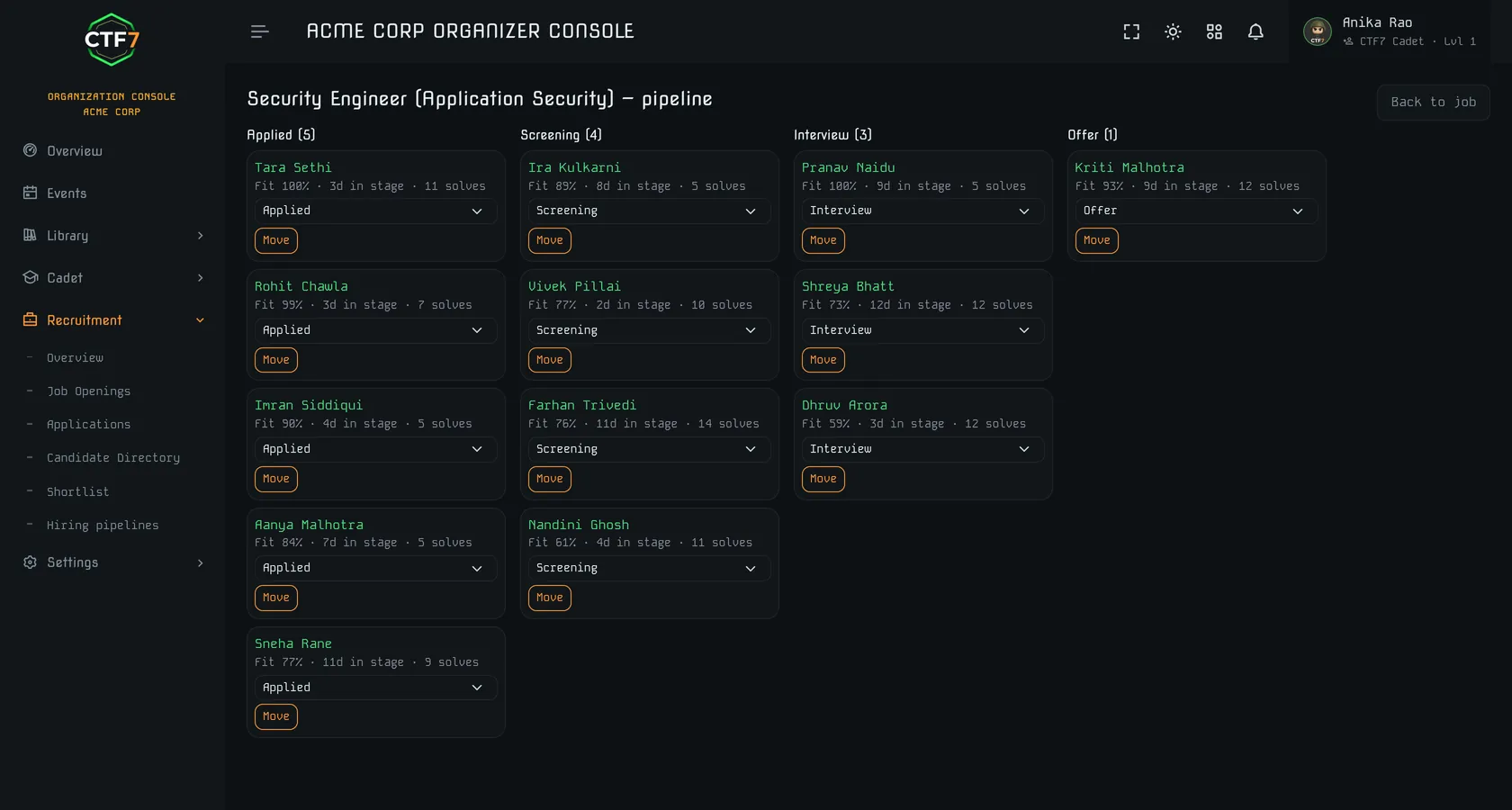
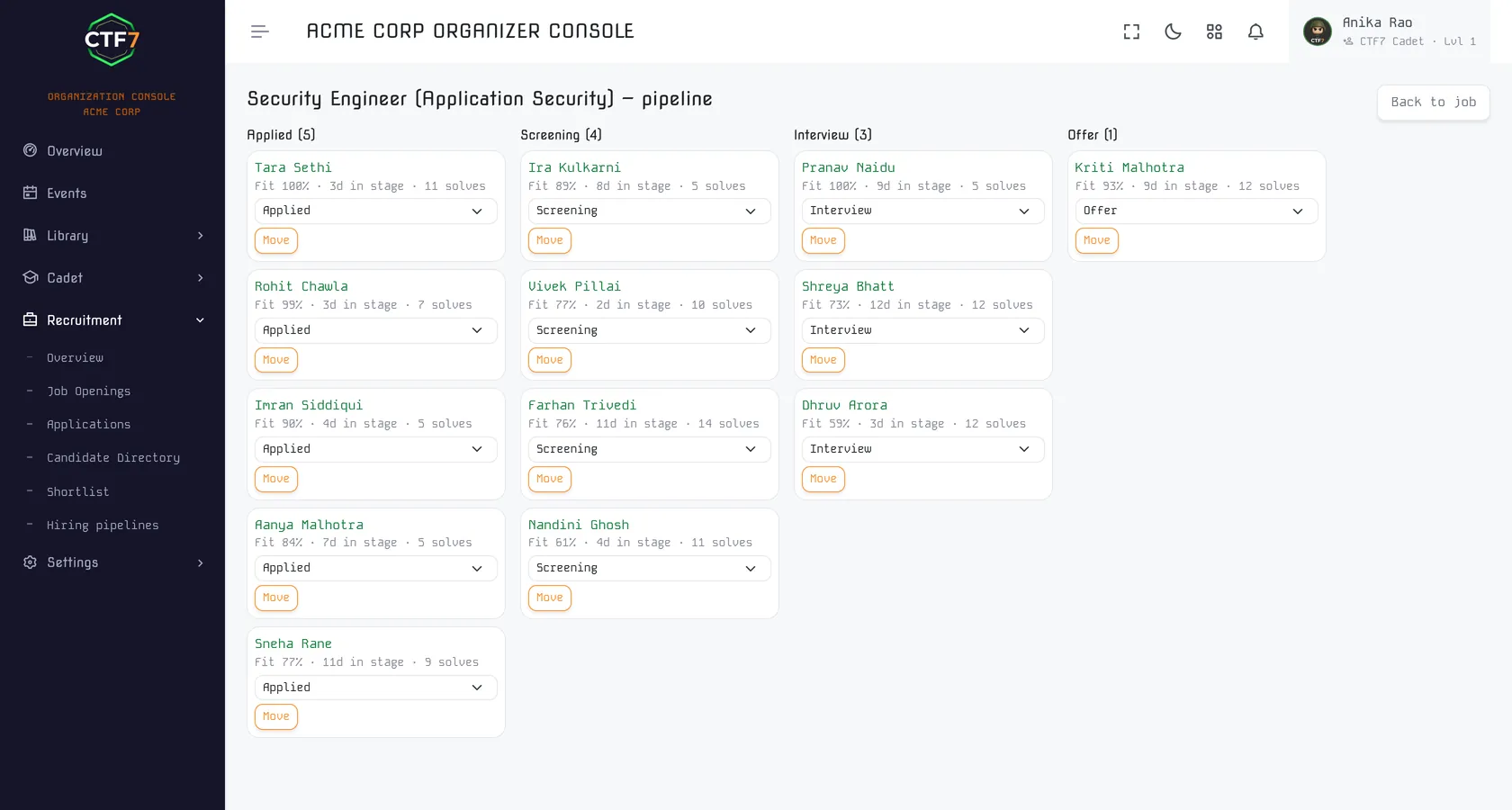
- Pipeline: move candidates across stages, record scorecards and interviews, and send offers that candidates answer in the app.
- Open-to-work directory: only players who turned on open-to-work can be found. A hiring team never receives a candidate's email or phone from it.
- Daily invite limit: sourcing invites are capped per day for each organization.
Hiring tools are part of the Pro and Enterprise organization plans. Read how it works for hiring partners or see hiring rounds.
Sign-in security for organizers and players
An organizer account controls registrations, payments and results, so it should be hard to take over.
Passkeys
Sign in with a passkey or security key through WebAuthn.
Authenticator codes
Add a TOTP authenticator app as a second factor.
Recovery codes
One-time codes let you back in if you lose a device.
Social sign-in
Google, GitHub and Apple sign-in for players who prefer them.
Custom domain, API, scalability and support
Custom domain & managed SSL
Run your CTF on your own domain, for example ctf.yourcollege.edu, with SSL managed for you. Available on Premium.
API & integrations
CTF7 publishes an API reference for connecting the platform to your own systems. Premium events can add custom integrations, such as exporting hiring-round scores into your recruitment workflow.
Scales from club to national level
The same platform runs a 30-person club practice round and national-level competitions. Premium removes the participant cap.
One registration flow across formats
Jeopardy and Raw Ops run self-serve, as do hackathons with judged rounds, mentoring and results. Hiring rounds, planned with our team, use the same registration and teams. Attack-defense, King of the Hill and SOC simulation are run by our team as managed events.
Support
Email and WhatsApp support on Standard. Premium adds dedicated technical support and setup by our team. Reach us at support@ctf7.com.
Solo practice and courses in War Zone and Bootcamp
Between competitions, players and teams sharpen skills with two structured products built into CTF7. War Zone is a solo practice area of time-boxed operations. Bootcamp is the course track, ending in a graded capstone and a verifiable certificate.
- War Zone: CTF challenges, guided missions and raw targets bundled into operations that open over time, with items from easy to expert and a rank ladder to climb in each operation.
- Bootcamp: written theory, labs with dynamic flags, self-check questions as you go, and a graded capstone that earns a verifiable certificate.
- Ouroboros CTF: our free, self-paced practice event, launching soon.
- Organization plans: learning seats for colleges and teams, plus private training content and curriculum management on the Pro and Enterprise organization plans.
War Zone, from ₹249/month
Solves and accepted reports award XP and operation badges and feed a per-operation leaderboard, and each solve moves you up that operation's rank ladder. Only want one operation? Buy its pass, one-time, instead of the monthly plan.
Bootcamp, on Elite at ₹1,799/month
Courses are grouped into ordered learning paths, and each path issues its own certificate as well as the one for the capstone inside it.

Open-source scoreboards vs hosted CTF7
CTFd and similar open-source scoreboards are capable, free software, and they handle a jeopardy event with static flags well. The comparison is about everything around the scoreboard.
What you add yourself on open source is the hosting, per-team flags (a plugin or your own code), fee collection and someone on call during the event. On CTF7, hosting is included on every plan. Dynamic flags and anti-cheat start on Standard. Event-day support is email and WhatsApp on Standard and a dedicated engineer on Premium.
Servers and containers
Self-hosted, your team provisions, patches and monitors the server and debugs Docker under event-day load. On CTF7 the platform is hosted on every plan; bring your own challenge images on Standard, or have us deploy them on Premium.
Anti-cheat and dynamic flags
Open-source setups usually rely on static flags or third-party plugins. On Standard and Premium, CTF7 issues a unique flag per team (per player in solo events) and checks submissions against IP and browser signals.
Registration, fees and passes
Instead of a Google Form, a payment link and a spreadsheet of UPI screenshots, team registration, fee collection and entry passes sit in the organizer dashboard.
Event-day support
When a container fails mid-event on a self-hosted setup, help comes from the project's forums or your own team. On CTF7, Standard events get email and WhatsApp support and Premium events get a dedicated engineer.
Unsure which path is right for your event budget? Use our CTF cost calculator to compare self-hosting server and staffing costs against fully managed hosted pricing, or read our in-depth open-source platforms comparison.
What CTF7 is, and what it isn't
A quick way to tell whether CTF7 fits your event before you read every feature above.
CTF7 is
- A cybersecurity event platform for hosting jeopardy CTFs, Raw Ops bug hunting and hackathons, with attack-defense, King of the Hill and SOC simulations run by our team as managed events.
- An event-operations tool, with registration, fees, teams, announcements, a live scoreboard and certificates in one place.
- Hosted on CTF7 on every plan, so there is nothing for your team to install or patch.
- Priced per event in INR, starting at ₹0 for one event a year with up to 50 participants on the Free plan.
- A team that can build your challenges through the CTF challenge development service, if you are short on authors.
- A place to recruit on skill, through hiring CTFs and the job board in the app.
CTF7 isn't
- A software package you install and maintain yourself. CTF7 hosts your event on every plan, so there is nothing to patch or keep online.
- A free, always-on wargame. War Zone operations come with the paid learning plans. For free, self-paced practice between events, play Ouroboros CTF, and see the practice roadmap.
- A global event directory. CTF7 hosts events and lists its own on the events page. Organizers who want wider listing can read the CTFtime listing guide.
- A bug bounty program for your production systems. Raw Ops players investigate a realistic target set up for the competition, not your live infrastructure. See CTF vs bug bounty.
- A replacement for writing good challenges. The platform runs the event; the challenges still decide whether players learn. The challenge creation guide is a good start.
CTF7 features by plan: Free, Standard and Premium
Event hosting is priced per event. Start with one free event a year, upgrade to Standard when you need dynamic flags and anti-cheat, and move to Premium for high-stakes or large-scale events. Running events every month? See the organization plans.
Free
For student clubs, communities, practice CTFs and hackathons
- One free event a year, up to 50 participants
- Jeopardy-style CTF or a judged hackathon
- Static flags & attachments
- External challenge links
- Self-serve, nothing to install
- No dynamic flags or anti-cheat
- No container labs
Standard
For colleges, tech fests and growing teams
- Everything in Free
- CTF, Raw Ops or hackathon
- Custom branding
- Static & dynamic flags
- Anti-cheat monitoring
- Attachments, links & hints
- Bring-your-own Docker images
- Up to 500 participants
- Participation, finalist & winner certificates
- Email & WhatsApp support
Premium
For hiring programs, conferences and large multi-day events
- Everything in Standard
- Setup and challenge hosting by our team
- Custom domain & managed SSL
- Unlimited participants
- Managed container deployment
- Advanced anti-cheat analytics & logs
- Branded certificates & custom integrations
- Dedicated technical support
Looking for a line-by-line feature specification and add-on pricing?
See complete comparison matrix on Pricing pageCompetition formats on CTF7
Practicing solo instead? War Zone bundles challenges, missions and raw targets into time-boxed operations.
Plan your next event with us
A free jeopardy event for up to 50 players goes live when you publish it. For flagship events, our team can build the challenges and run the managed formats: attack-defense, King of the Hill and SOC simulations.